Redesign · Now with AI
Spotify
Take me to before & afterA redesign of Spotify’s playlist page, device picker and profile, built around an AI you can talk to.

Intro
Spotify knows a lot about how I listen: the songs I replay, the artists I keep coming back to, the speaker I connect to every evening. And yet the app treats me like a stranger. I redesigned three places where that shows most, the Connect panel, the playlist page and the profile, and recorded a walkthrough. This is the written version. First what I think is missing, then what I changed and why.
A note on what this is. It’s a prototype I built to think with, not a spec, and I have no inside knowledge of how Spotify is built or what its team is working on. These are the opinions of one heavy listener with a product background.
Today
The current design
Plenty of data, very little of it shown.
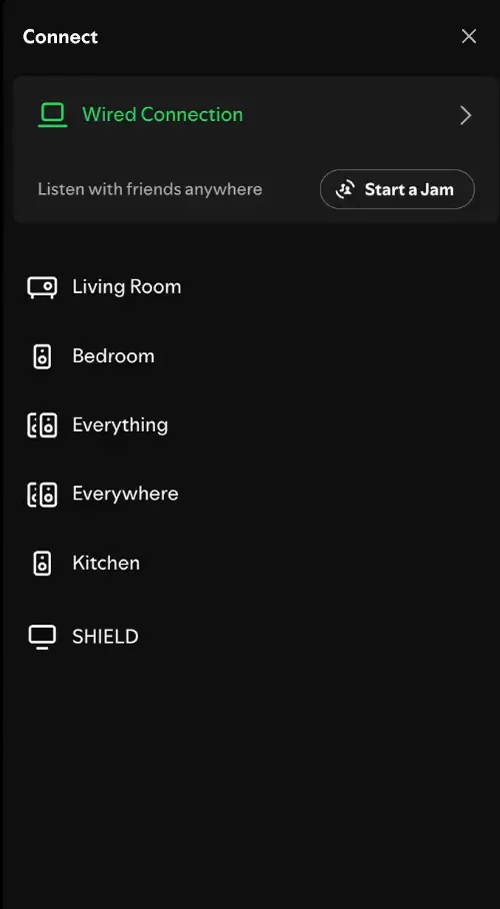
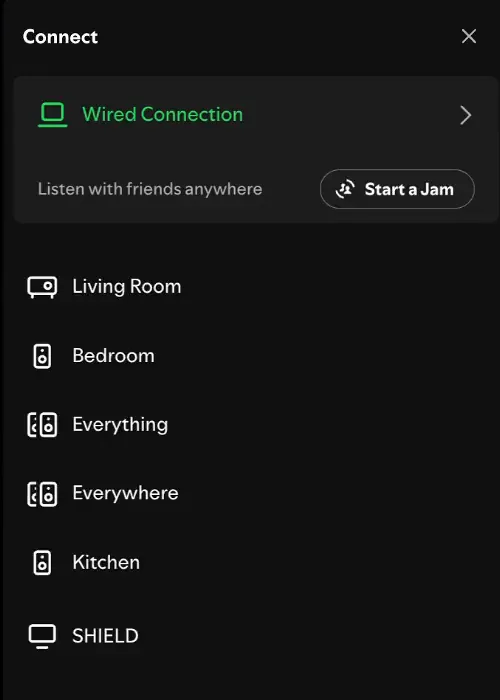
I’ll start with “Connect to a device”, which I use every day. A device here is usually a speaker. Click it and you see the ones on your network, with two help articles underneath. That’s all it is, and it doesn’t help much.
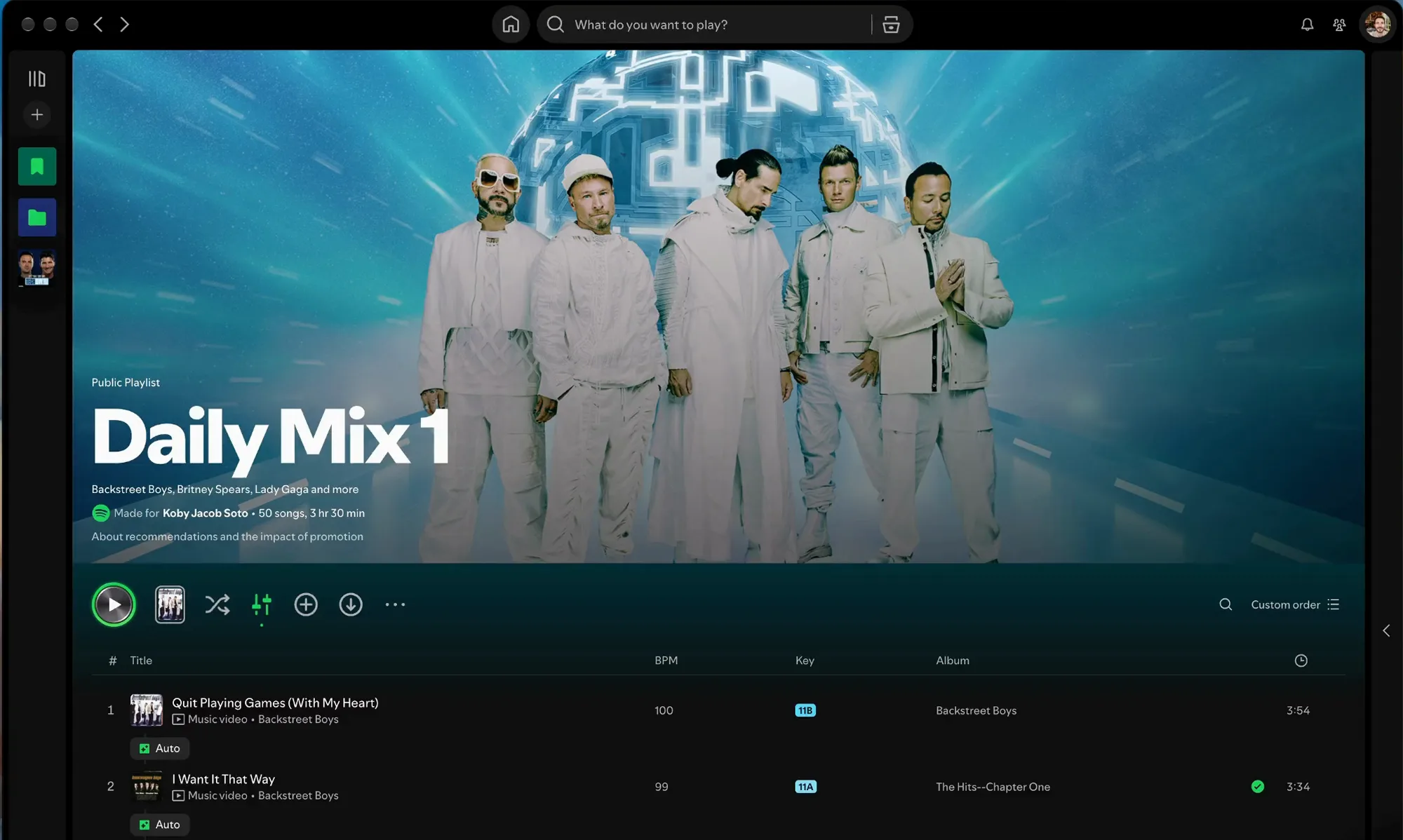
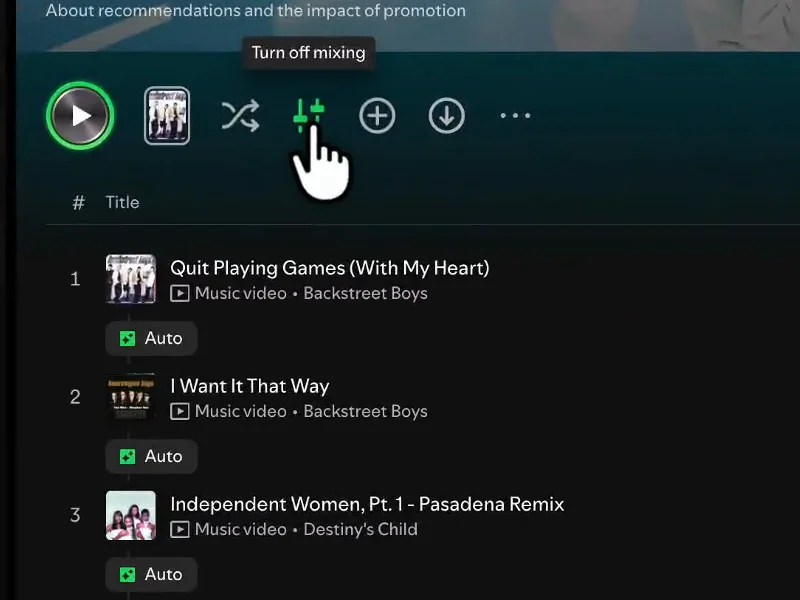
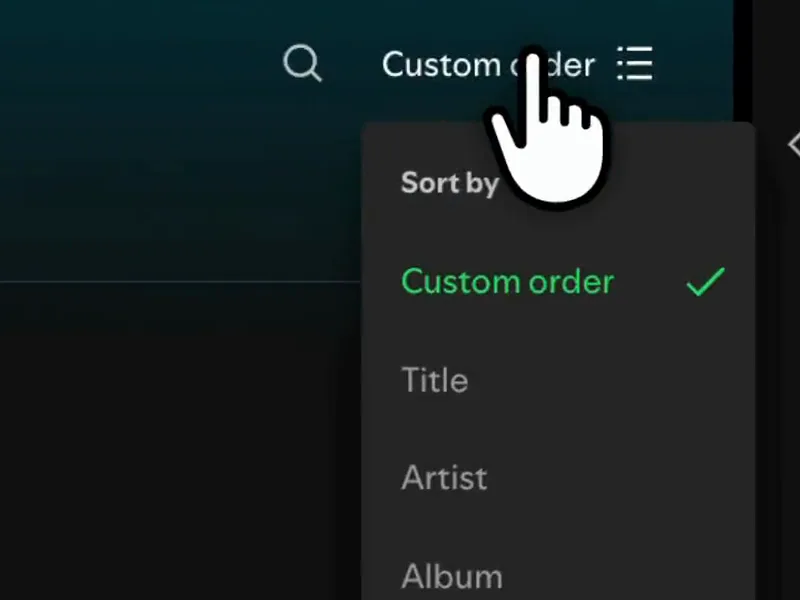
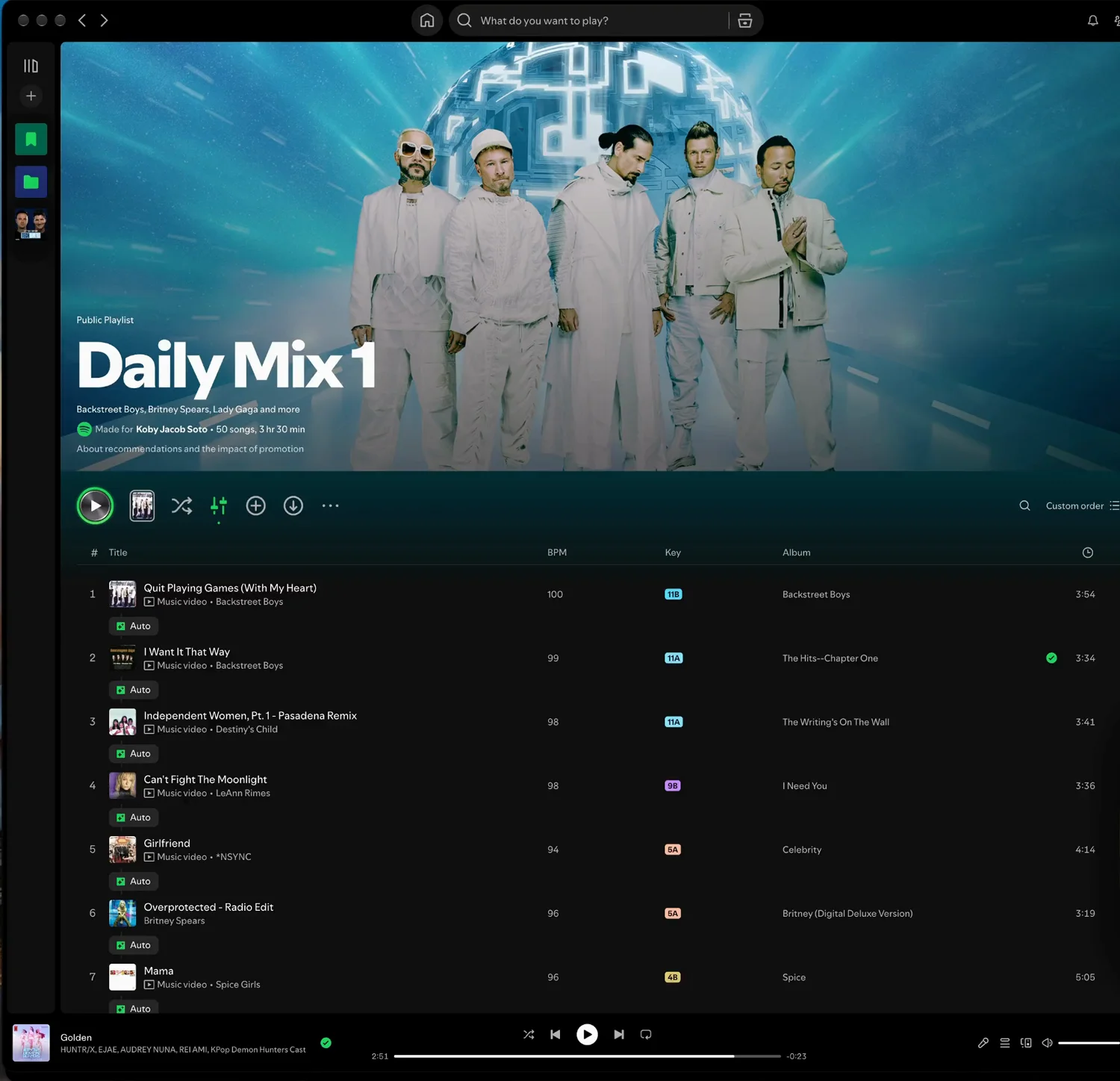
Regarding the playlist page: I have mixing mode turned on, but I’m not a mixer. I just want smoother transitions between songs.
I doubt I’m the only one. Plenty of people want smooth transitions without being mixers, so they leave auto on and never touch BPM or key. And even with mixing turned off, the page doesn’t give you much: little context about the songs in the playlist, little information, and few options for working with them.
Shuffle and mixing also aren’t about the playlist. They control what’s playing, so I’d put them down by the player, where the current song is.
“Custom order” isn’t really custom. You can’t drag and drop songs, even in a playlist that was made for you, so you can’t actually control it. The play button is repeated twice, and I don’t see the point of that. And there’s no AI in the app. Spotify surely uses it behind the scenes, but nothing in the interface lets you talk to it, and I think that leaves a lot of room.
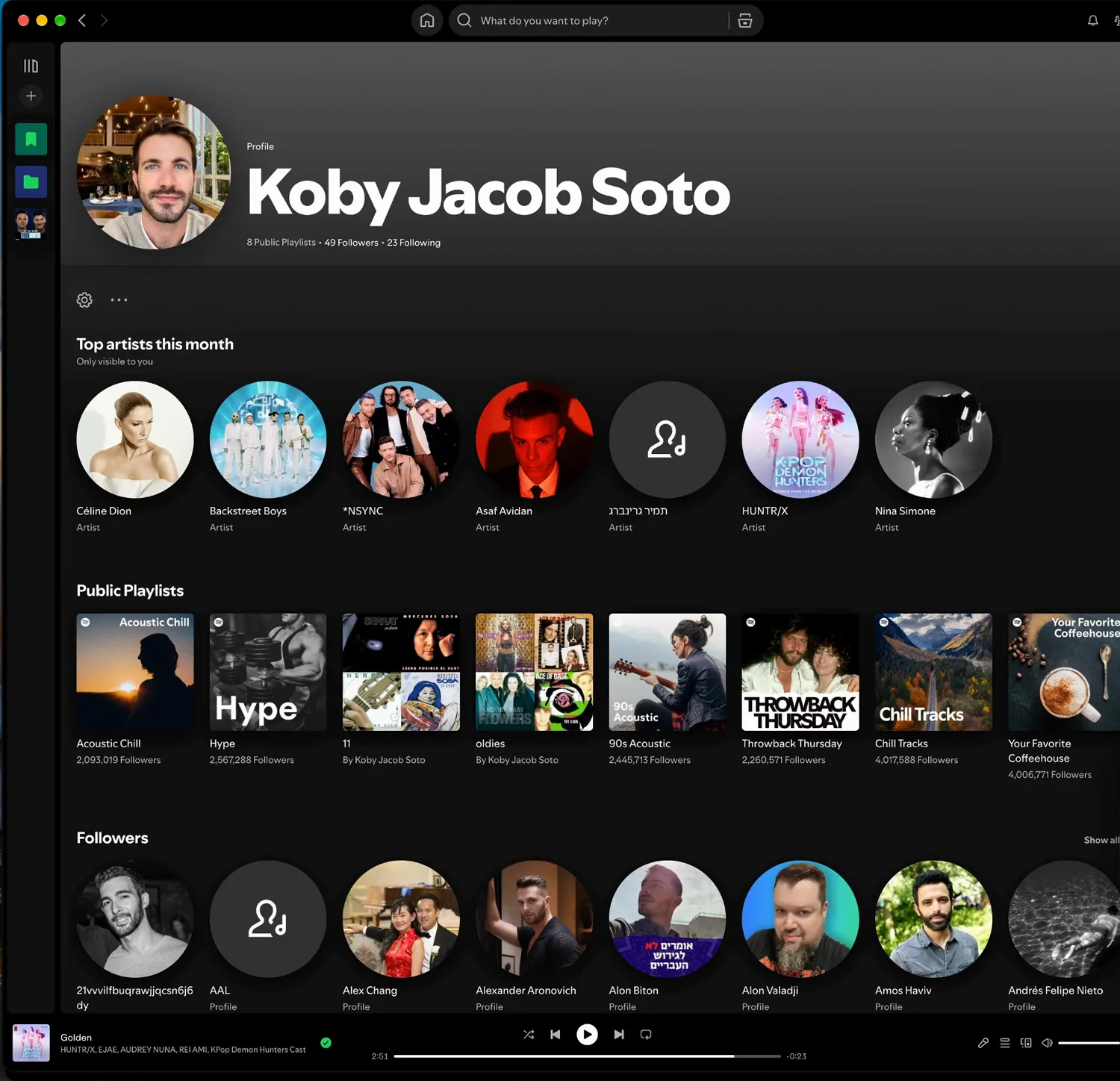
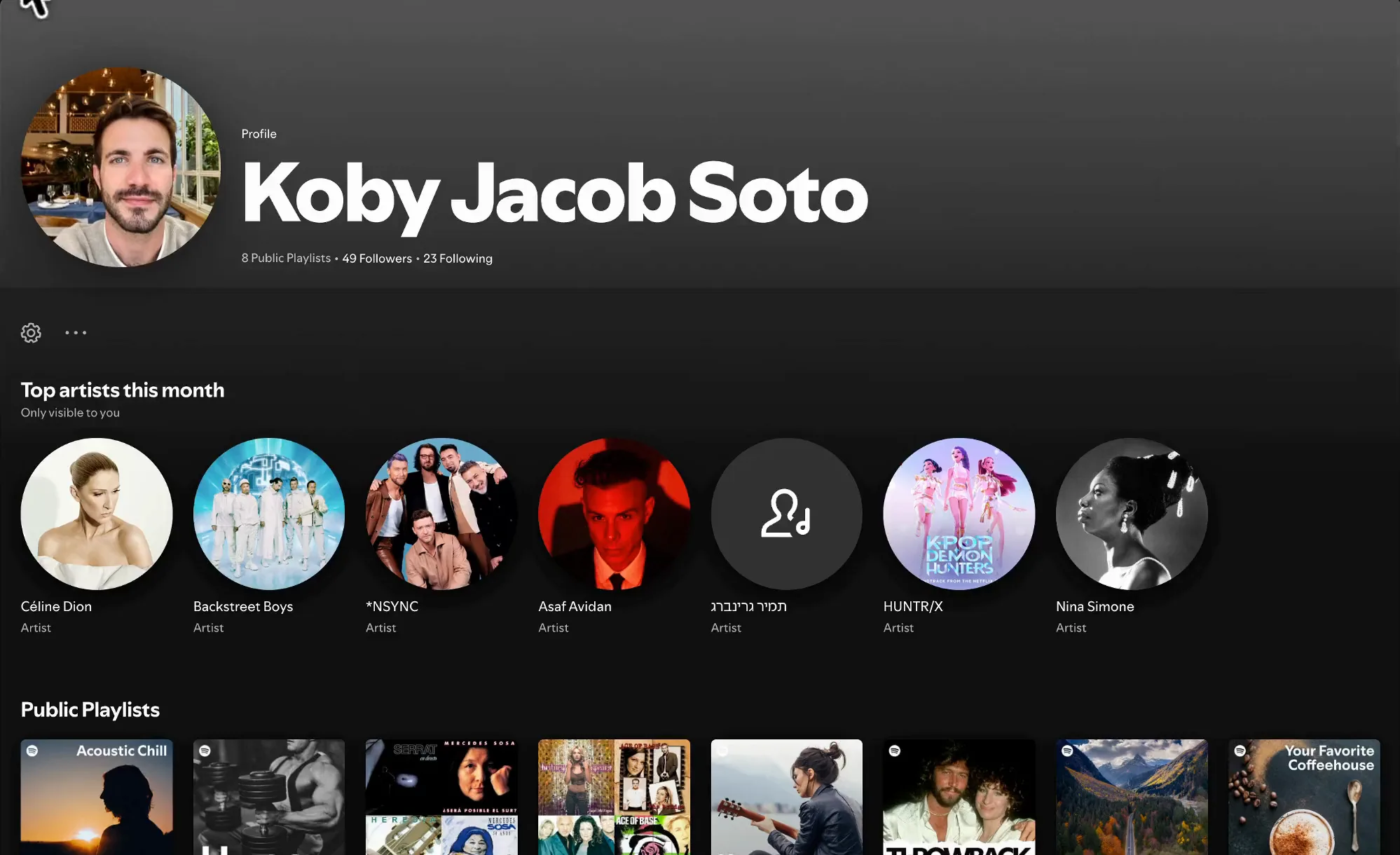
The profile is relatively empty. You click your avatar, then Profile, and you get top artists, public playlists, and followers and following. It isn’t very useful.
Part one
Connect to a speaker
A panel that remembers where you listen.
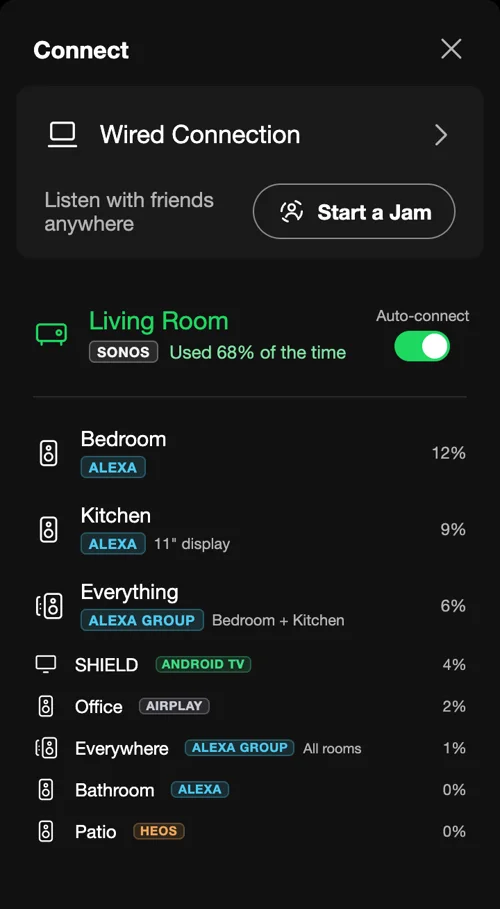
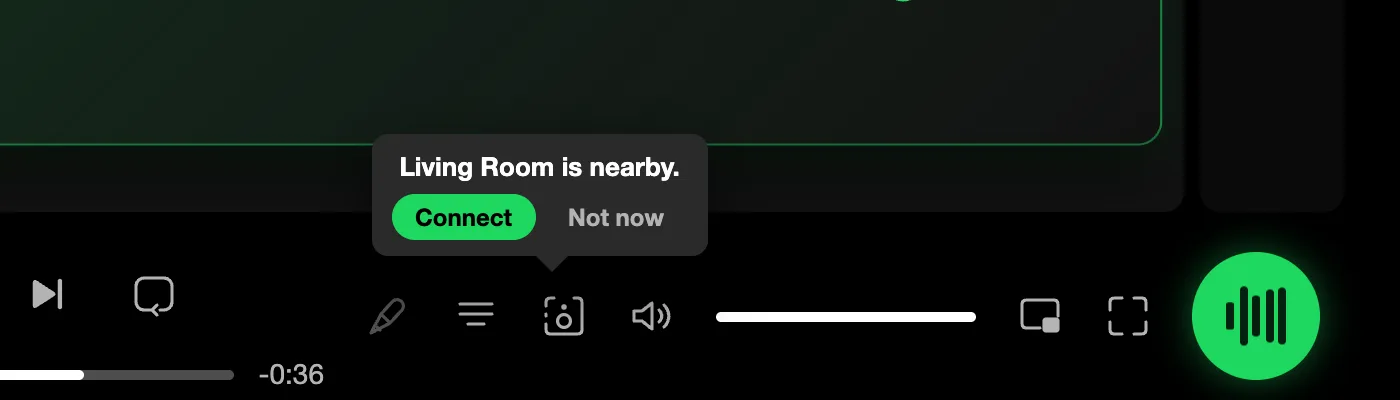
I connect to a speaker every day, so this should take almost no effort. It can start before you even open the panel. Spotify can tell I’m on the network where my living room speaker lives, and it remembers that this is usually where I connect. So a small prompt says “Living Room is nearby” and lets me connect, or say not now.
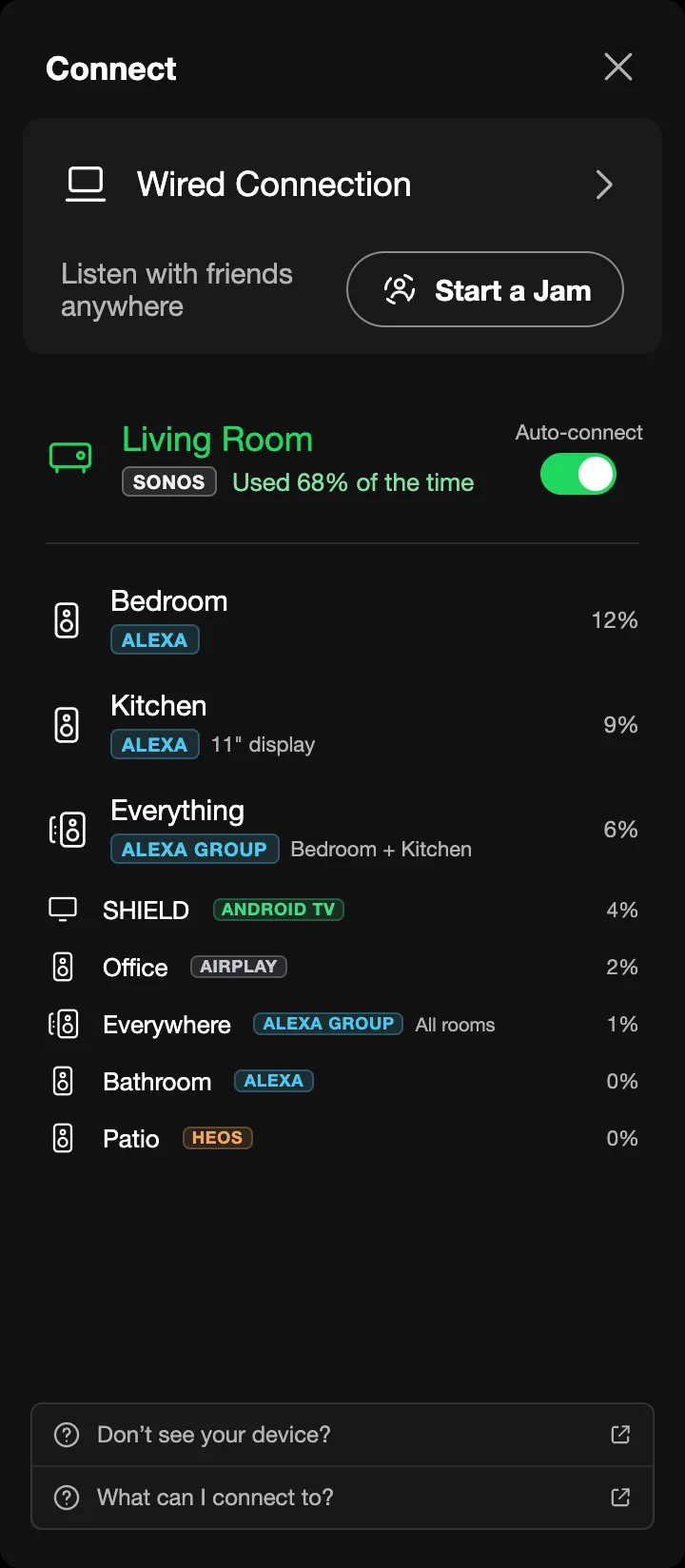
Open the panel and the device I use most gets its own spot at the top. It says I use the living room 68% of the time, and there’s a new toggle for auto-connect: every time I’m on that network, it connects to the living room by itself.
Every device shows what it is, such as Sonos, Alexa, HEOS or Android TV, and how much I use it. I made the names bigger for the devices I connect to a lot and smaller for the ones I barely touch. The help articles are smaller too. I know my way around by now, so I don’t need them open all the time.
One small feature: the panel closes itself after 15 seconds. Today it stays open until you close it. This one hides on its own when you’re done.
Part two
The playlist page
Controls where they belong, and a list that knows your history.
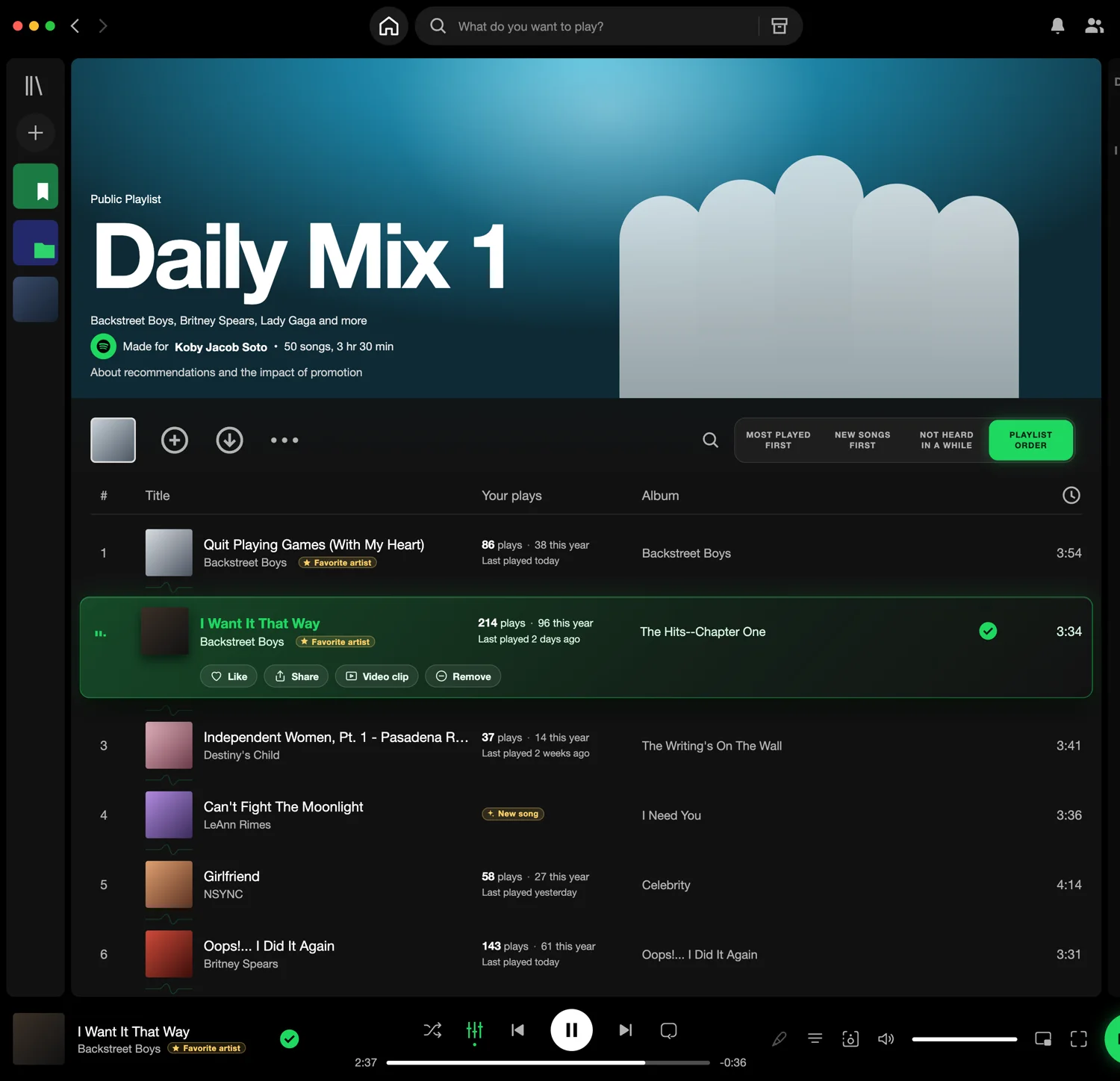
The first change: I moved shuffle and mixing out of the playlist toolbar and into the player at the bottom. They control what’s playing, not the playlist, so they now sit right next to play, pause and skip.

In their place are a few buttons I thought would be interesting to play with. The default is the playlist’s own order. The others sort by what I’ve played most, by new songs first (the ones I haven’t heard yet), and by what I haven’t heard in a while.
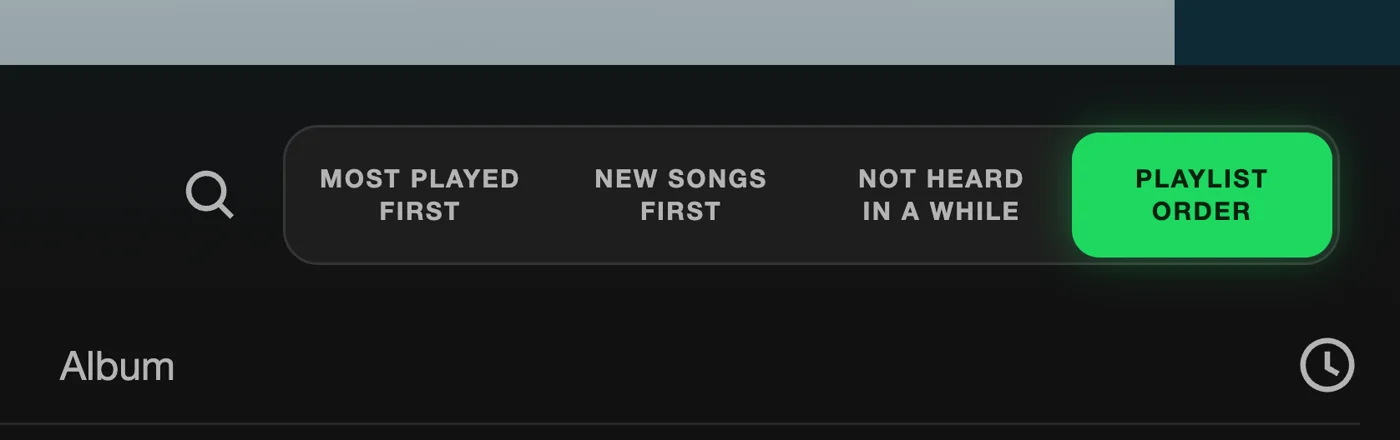
I also added a column with my own numbers. It answers questions the page never answered before: what do I actually play, and what have I forgotten? A song might say 86 plays, 38 of them this year, last played today. Another was last played two days ago and has a lot of plays. Artists I listen to most get a “Favorite artist” badge. And if there’s a song I’ve never played on Spotify, it says so: New song.
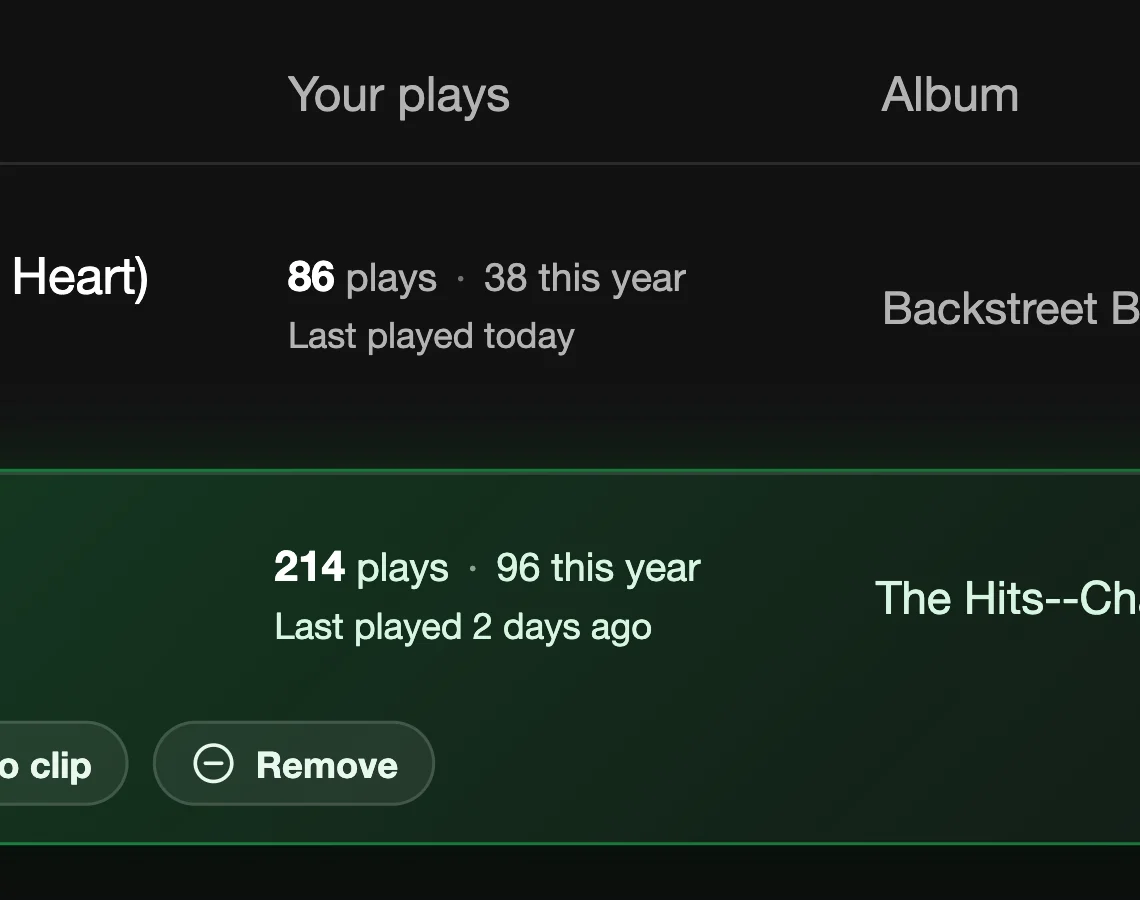

It makes a playlist something I can tune. It also tells me something about myself.
I made the song that’s playing far more prominent. Today it’s a tiny animated graph, which isn’t enough. And I put a few buttons right on the row, Like, Share, Video clip and Remove. They exist today, but you have to right-click and find them in a menu. For the current song they should be visible.

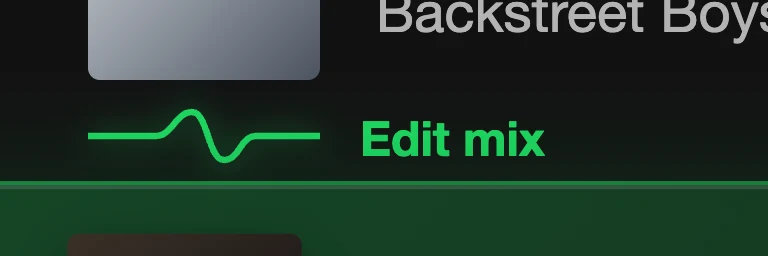
Back to mixing. I removed the Auto, BPM and key data. I didn’t think those points were interesting for most people, and they took up a lot of space. For the professional mixers I kept the button to edit a transition, but it takes no space at all and only shows up when you hover over it.
Playlist · The big one
Talk to Spotify
The feature I think matters most: ask your music for what you want.
I’ve gotten used to ChatGPT and my agents, and to talking to them. I wanted to talk to Spotify the same way. Spotify surely uses AI in the backend, but there’s none in the front end, nothing you can talk to. I think that leaves a lot on the table.
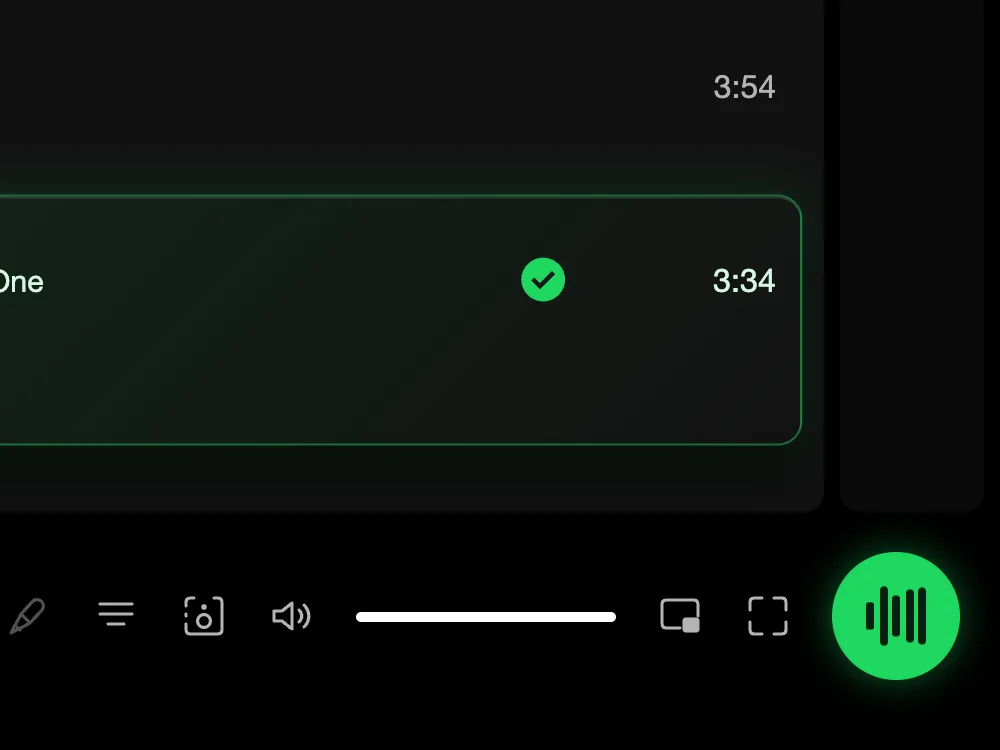
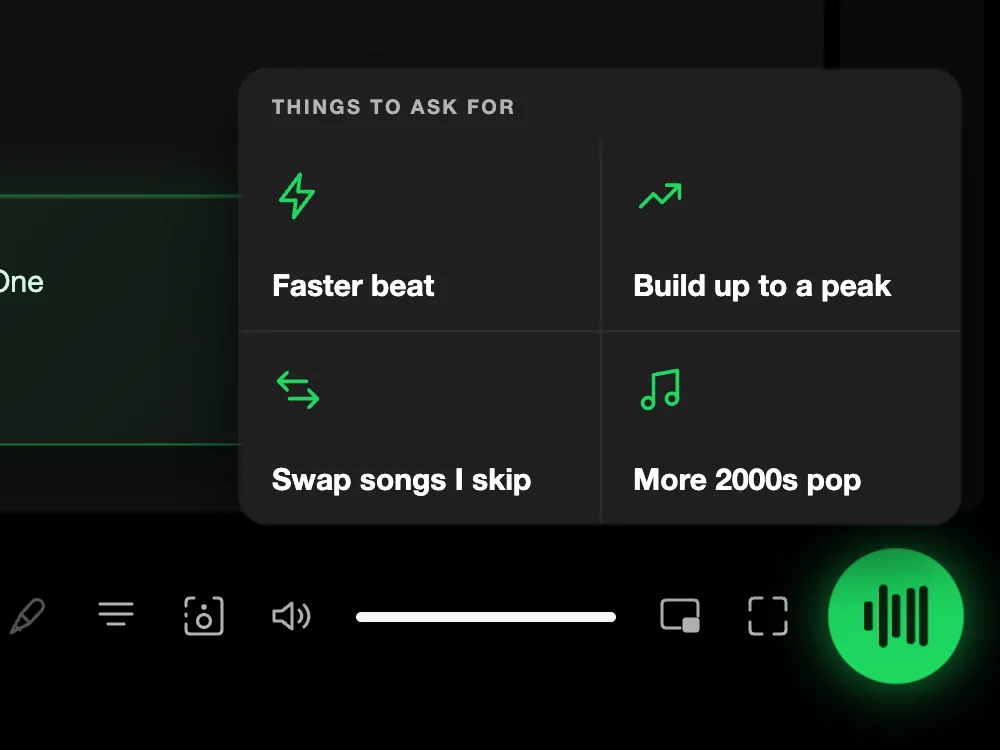
So there’s a button in the player, at the bottom right, on every screen. It’s ChatGPT for Spotify. Hover over it and it suggests things to ask for. Or just ask for something else.
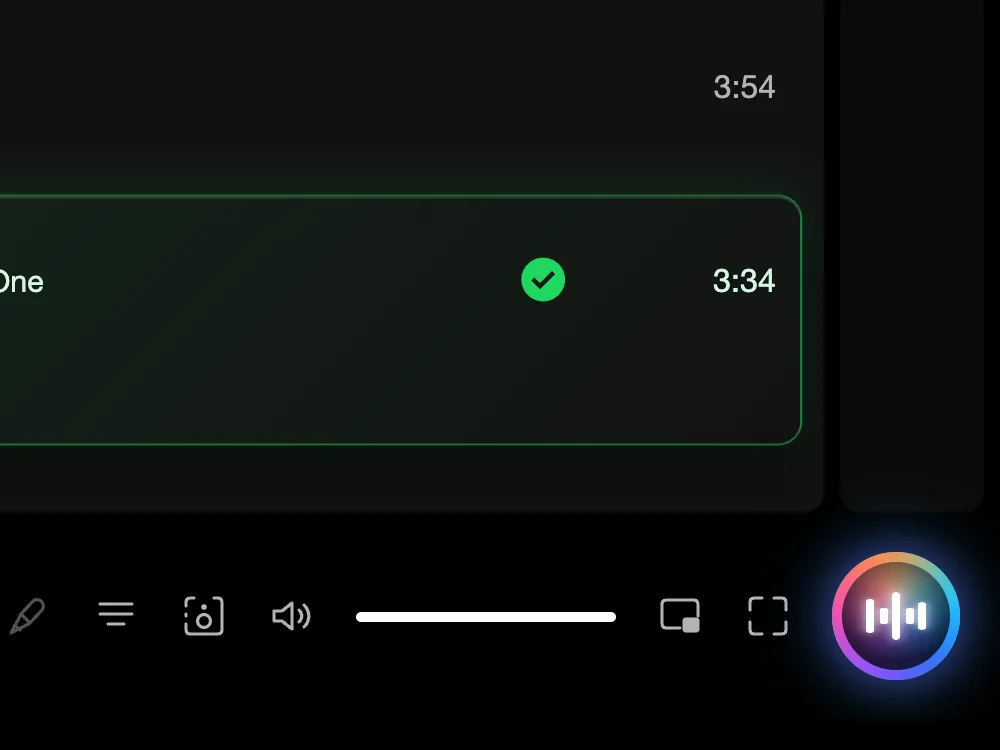
Click it and Spotify pauses the music and switches to a listening mode. The button lights up and moves, so you know it’s listening.
Part three
The profile
From a list of names to a picture of how you listen.
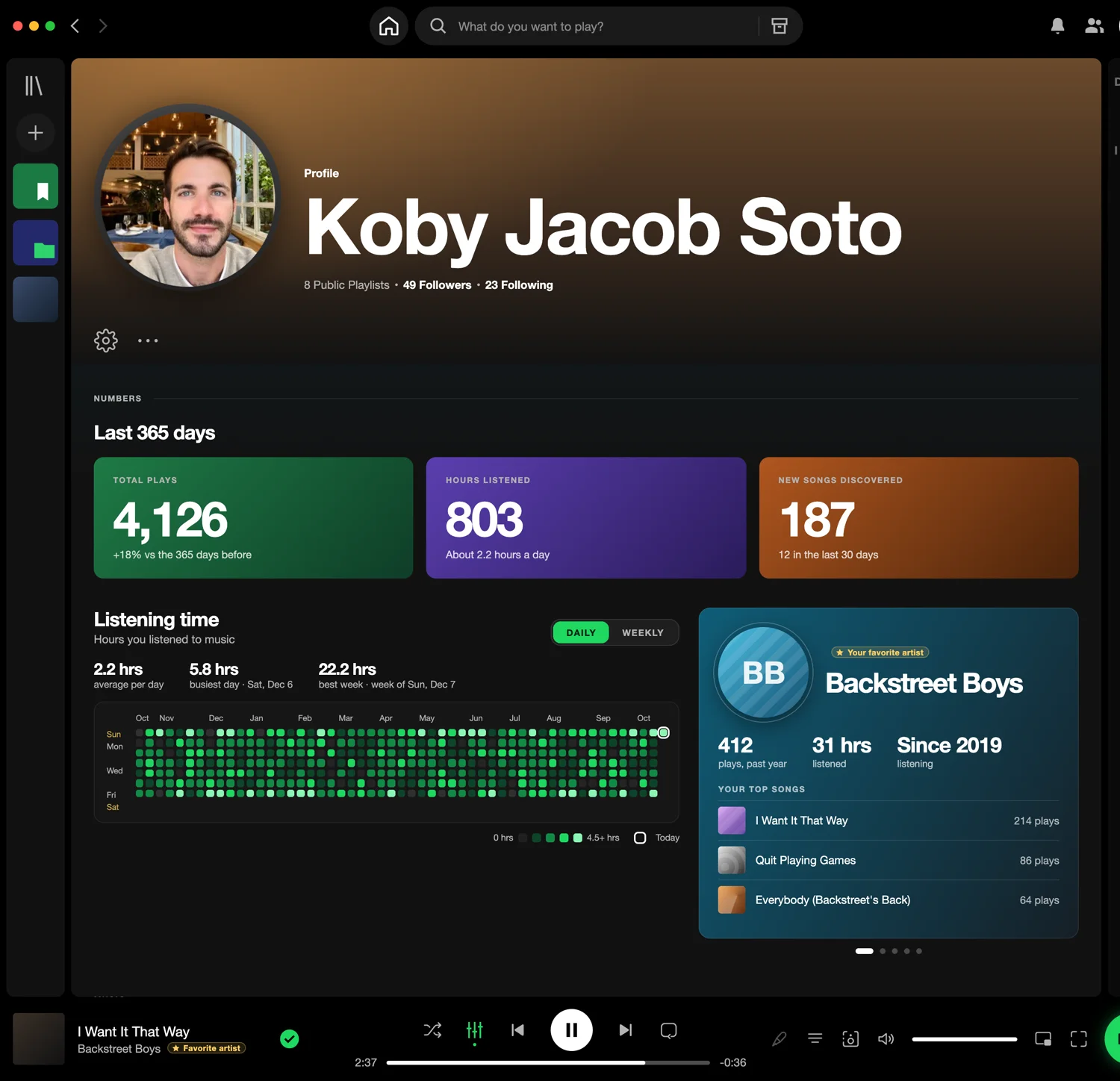
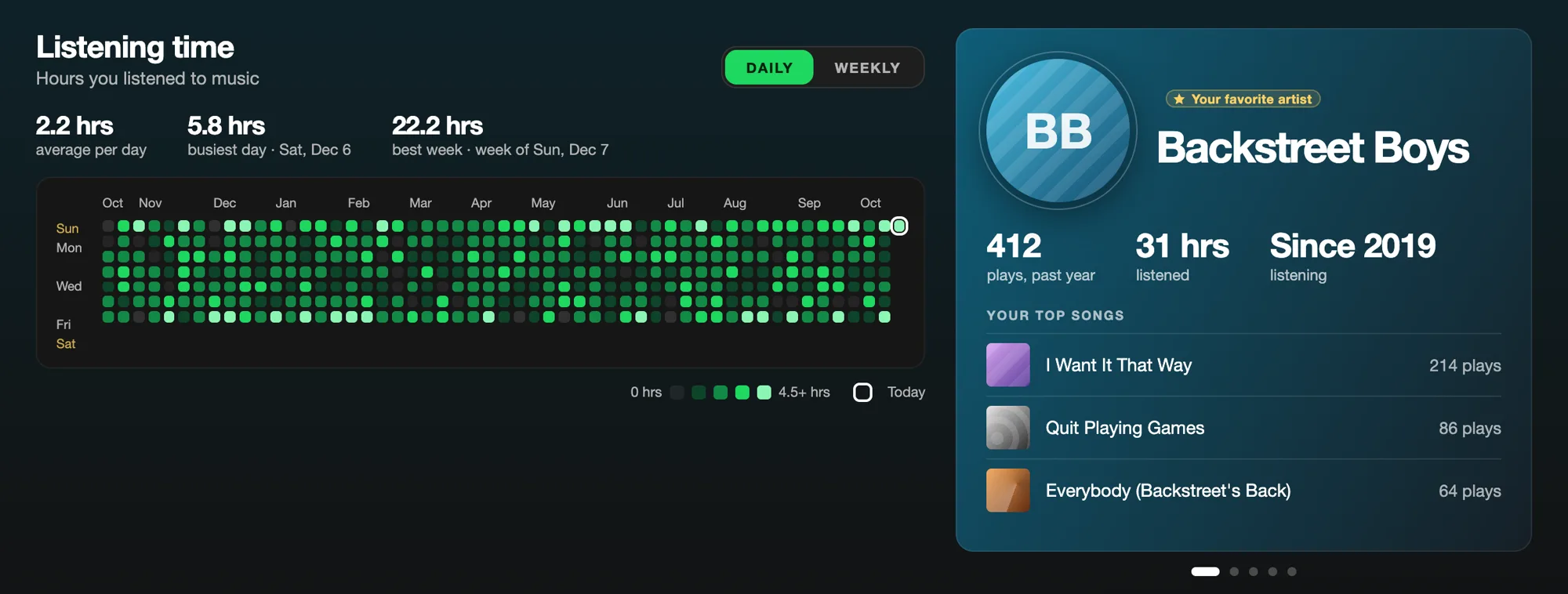
Click your profile now and there’s a lot more on it. It gathers data points that I find very interesting. At the top are the numbers for the last 365 days: total plays, hours listened with the average per day, and new songs discovered, including how many in the last month.

Below that is a graph of how much I listened to every day. Each box is a day, and today is marked. I can switch between daily and weekly views. Next to it is a card for each of my favorite artists, with plays, hours listened, how long I’ve been listening, and my top songs by them.
Then come my top artists this month, and my most played songs with how many times I’ve played each.
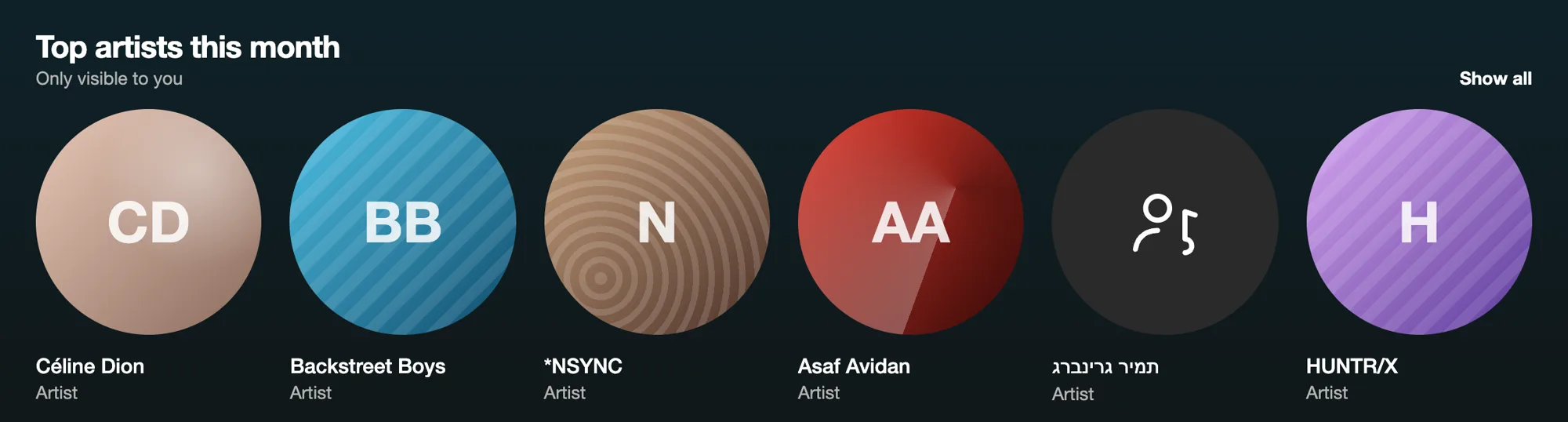
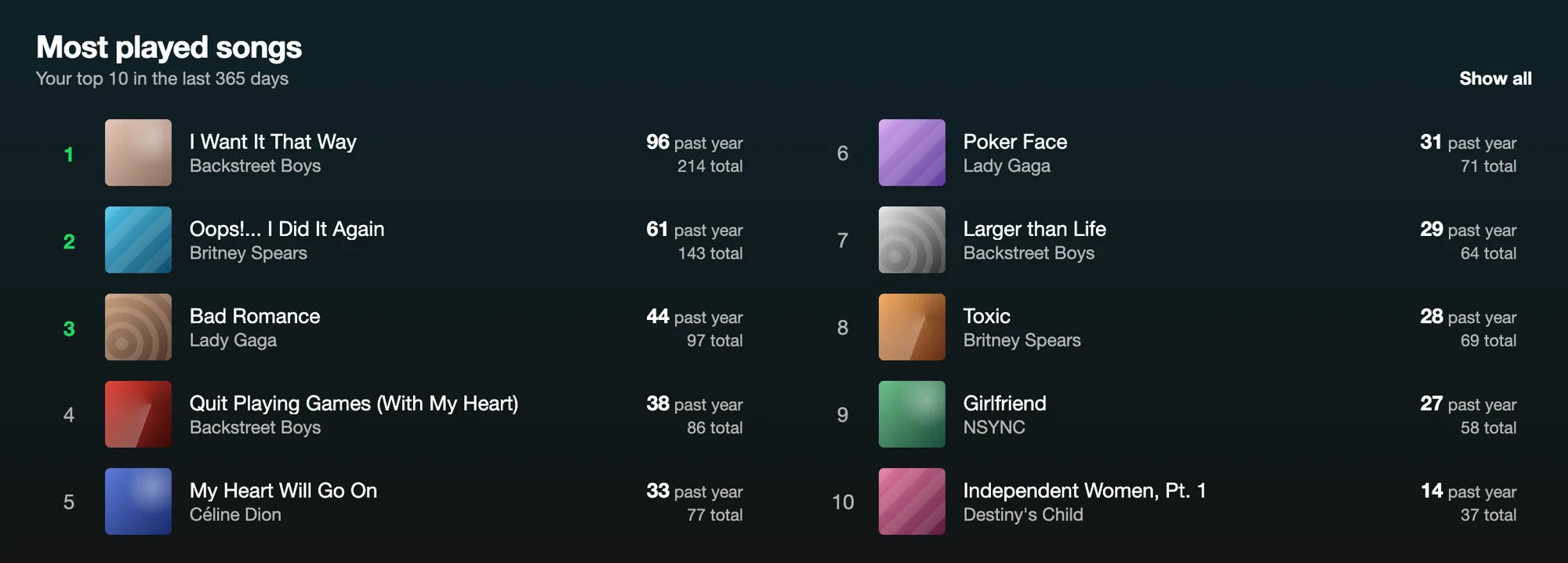
After that are two rows I like. Recently discovered isn’t only the songs that are new to me. It also shows how long ago I first heard each one. Come back to these is the opposite: songs I haven’t heard in a while but used to play a lot. It’s a throwback shelf.
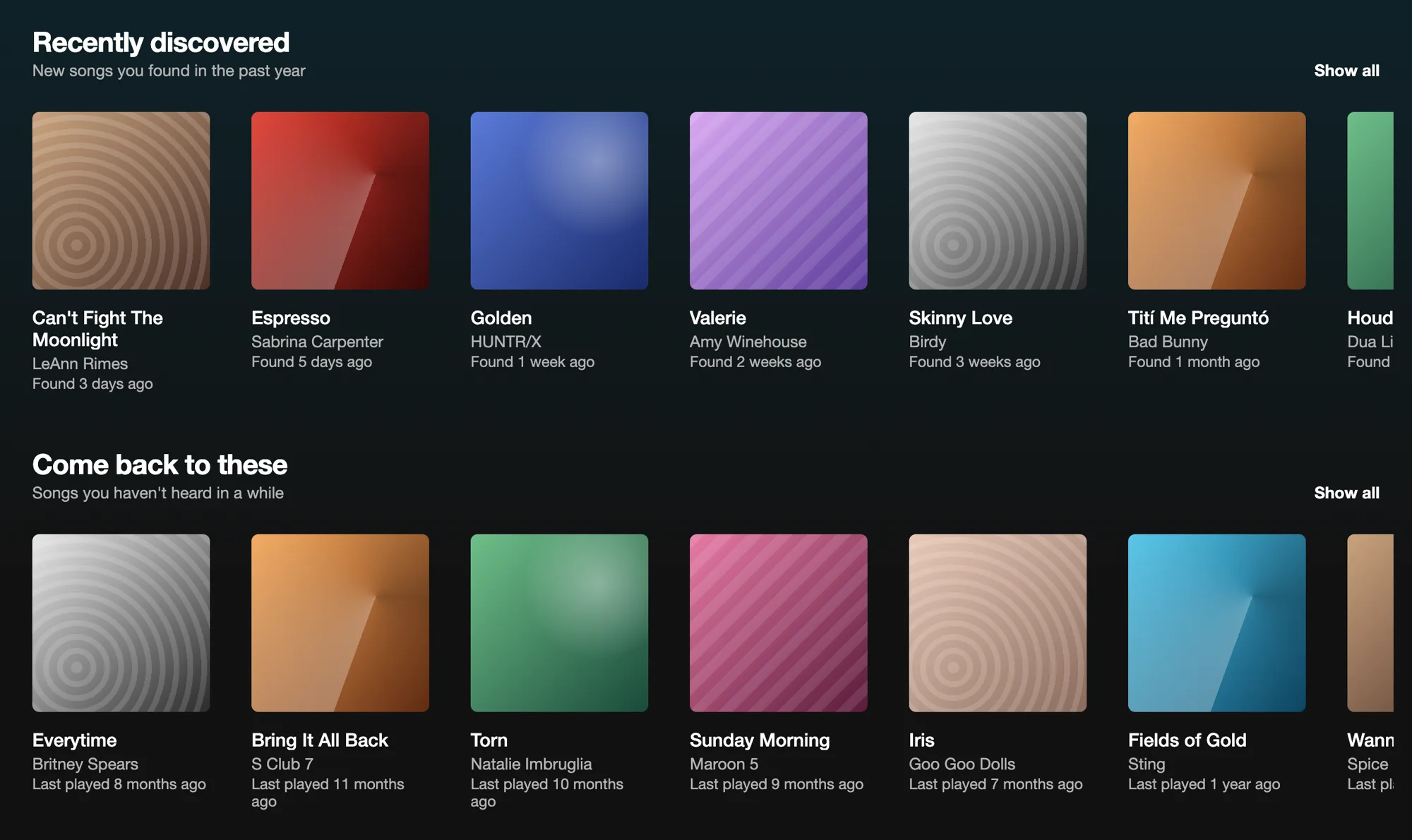
The playlists and followers that are on the profile today are still there, further down.
What ties these together is small. Put the controls where the music is, let me talk to it, show me my own numbers, and remember which speaker I use. None of it needs much beyond the data Spotify already has, shown back to the person it belongs to.
I hope you like it. Let me know what you think.
Compare
Before and after
Drag the slider to move between the current Spotify and the redesign.